Quick changing
channels to a specific channel number.
Extremely quick
and easy.
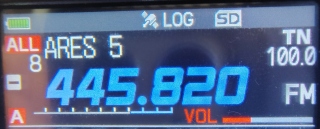
When you see "ALL" in the upper left corner of the
screen (Memory (MR) mode), hold your finger on the screen anywhere where on the
area of the frequency.
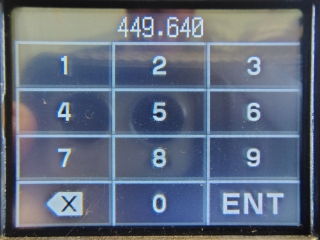
Enter the channel number you desire, you do NOT have to push "ENT," after about
a second it just goes to that channel.
Give it a try: 8 is ARES5, 13 is ARES10, 39 is ARES100
(Magic), 56 is ARES503, 96 is ACS17 (446.500 Simplex).
The only downside is you have
to remember all the channel numbers you would ever want to go to.
Maybe, write down the channels numbers you would want to go to, in advance.
*
While you are here, let also learn the Dual Receive
display features.
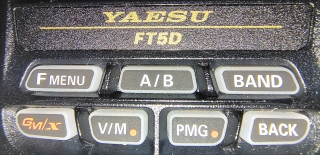
In the Dual mode on the "A" display, you can press the "A/B" button
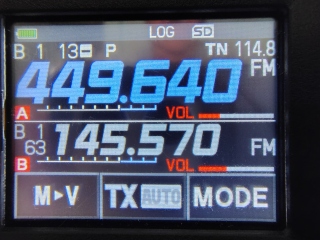
to switch to the to the "B" display.
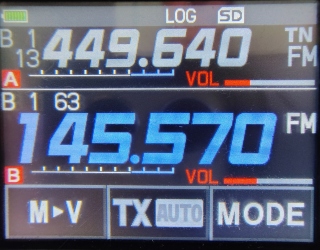
If you press and hold the "A/B" button the radio will only show the "B"
display.
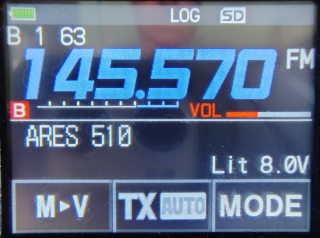
If you press the "A/B" button the radio will only show the "A" display.
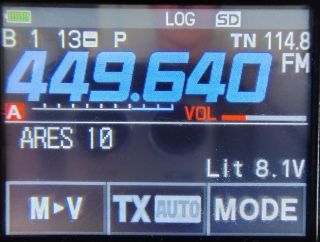
If you press and hold the "A/B" button the radio will return to the Dual mode.
Simple, right?
*
Back