Shout out to
Randy, W B 6 U N G, for showing me this feature.
The Primary Memory Group "PMG" and Channel Activity Memory "CAM" options allow
quick access to memory channels. Primary Memory Group (PMG) function allows for
simultaneous monitoring of up to five frequency channels.
By simply pressing one button "PMG" you have access to any 5 channels programmed
into the radio. Or pressing 2 buttons, long press of the "Fmenu" and pressing
"CAM" you have access up to 50 channels.
Let's get started, using the RT Systems software.
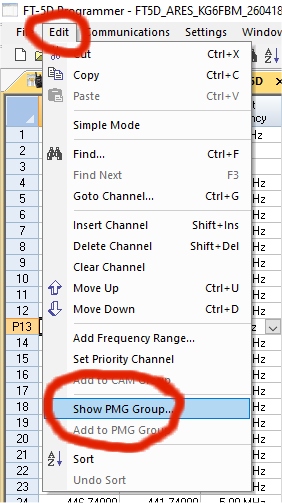
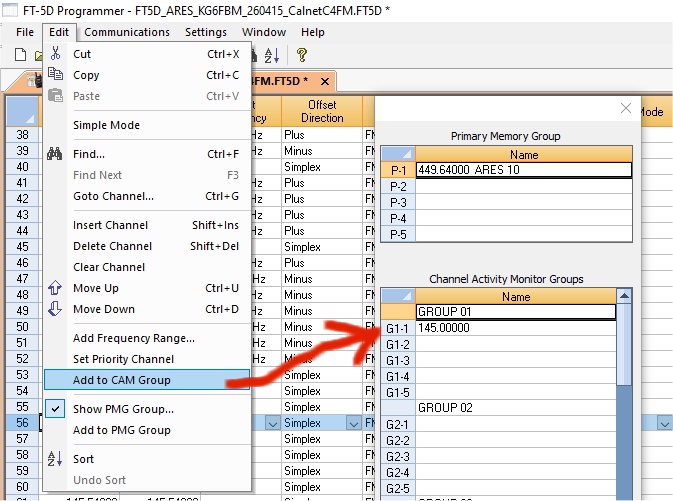
Load your Codeplug, Click on "Edit," and then on "Show PMG Group."
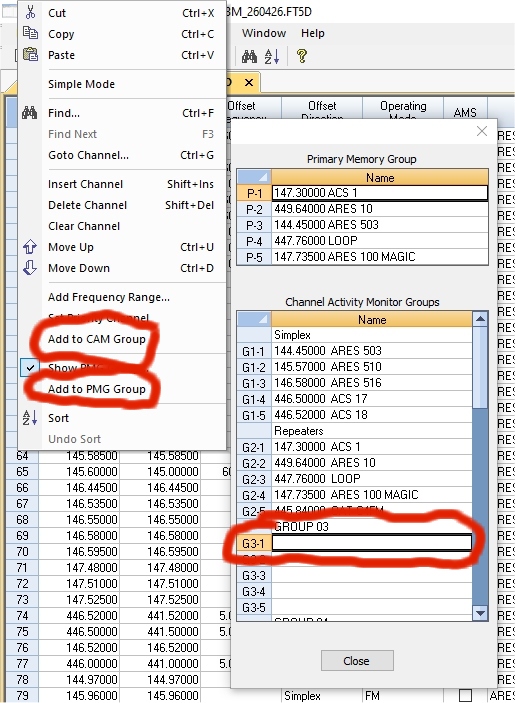
On the pop up menu, click a location. Right click on any row and choose Add to
"PMG" or a "CAM" location.
OR,
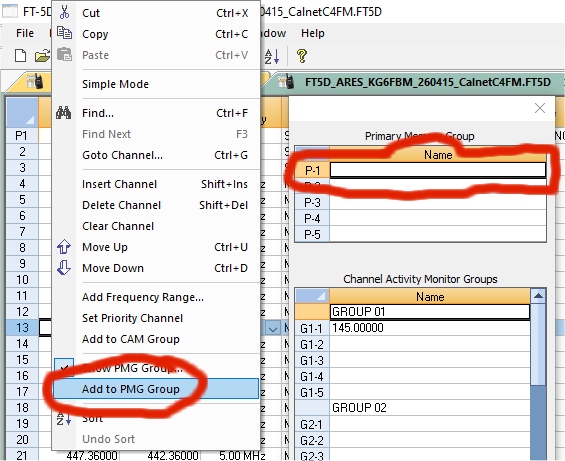
Highlight a Channel row

Go back to "Edit," and click on "Add to PMG Group."
It will then appear it the
location you highlighted, from P-1 to P5.
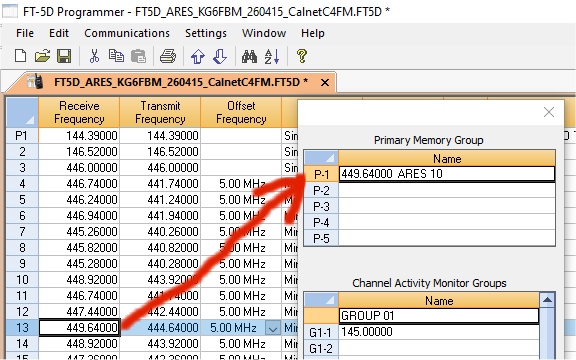
Or, you can put channels in the CAM Channel Activity Memory group the same way.
Save the Codeplug to you hard drive and then write it to the radio. Now, you can
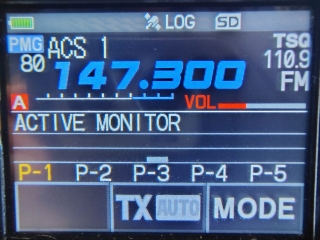
simply press the "PMG" button
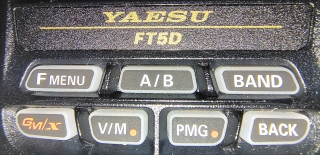
and see the channels you added. Rotate the knob at the top of the radio to cycle
through the channels.
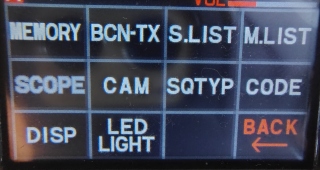
The channels you added to the "Channel Activity Memory" group can be seen long
press of the "Fmenu"
and pressing "CAM." (It stands for "Channel Activity Memory," not Camera.)
Then you will see the channels you added under "Channel Activity Memory." Touch
"GROUP" to switch to different Groups you set up. Rotate the knob at the top of
the radio to cycle through the channels.
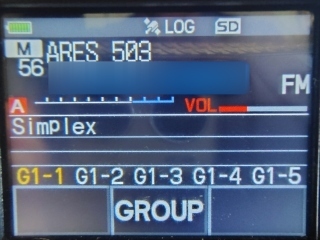
The "CAM" (Channel Activity Monitor) function, allows users to
monitor up to five memory channels within a designated
group simultaneously. Active channels are highlighted, with the current
channel in yellow and recent activity in gray or blue, allowing for quick
switching. It is accessed via the "Fmenu" menu.
*
Using and Managing PMG Channels
Enter PMG Mode: Short-press the PMG button to jump straight to your primary
memory group channels.
Add a Channel: Tune to the desired frequency or memory channel, then press and
hold the PMG key until it beeps and registers into the group (up to 5 max).
Delete a Channel: While in PMG mode, press and hold the PMG key on a registered
channel to remove it.
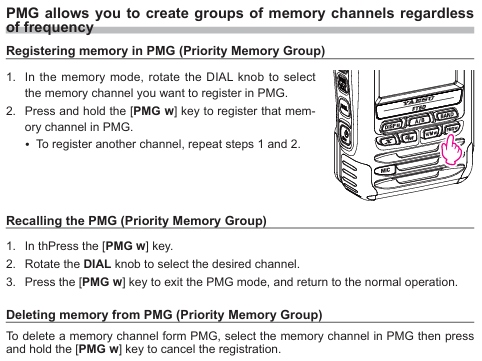
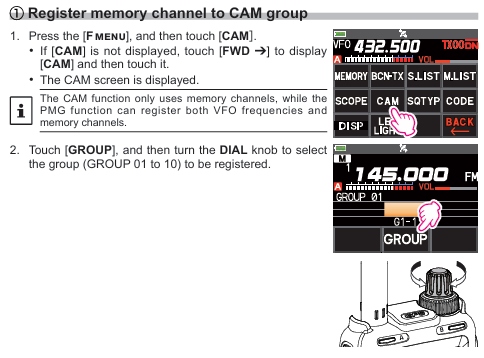
To program the "CAM" channels using the radio.
Enjoy!
*
Back