Creating the
GPS log and then navigating
the MicroSD card
The Yaesu FT5DR GPS log feature
records location tracks to a MicroSD card, (but you MUST
turn it on first) requiring the card to be inserted and the GPS
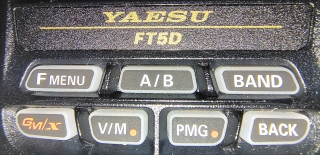
activated. First, long press "Fmenu"
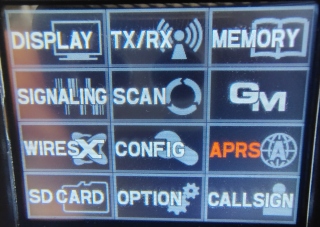
press "APRS"
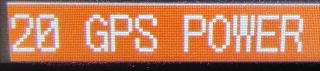
then turn "GPS" to on.
*
Logs are enabled by long pressing "FMenu"
"CONFIG"
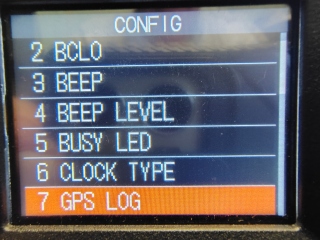
"#7 GPS LOG"
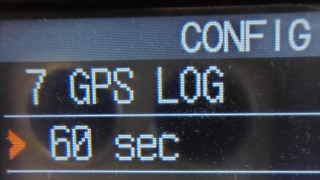
and selecting an interval (1 to 60 seconds). Press "BACK" to go back to the main
screen. A GPS "log" icon on the main screen indicates active recording.
*
After your "LOGS" are created you can turn off "GPS" because it uses lots of
battery consumption.
Long press "Fmenu"
press "APRS"
then turn "GPS" to off.
Press "BACK" to go back to the main screen.
*
After the files are created they can be found in the "GPSLOG" folder
on your MicroSD card
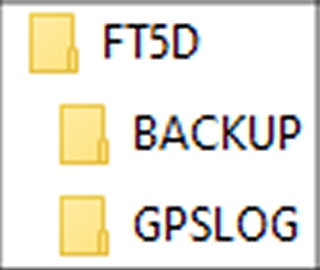
with filenames like "260404173700.log".
The filename gives you the date and time of the file creation, 260404173700.
"26" is the year.
"0404" is the month and day.
"173700" is the hour, minutes, and seconds (5:37:00pm).
(The clock times are incorrect because the radio wasn't set up correctly, yet.)
My file contained the data....
$GPGGA,173745.000,3411.6588,N,11827.7772,W,1,8,1.09,225.1,M,-33.4,M,,*6C
$GPGSA,A,3,19,17,06,22,24,12,14,11,,,,,1.40,1.09,0.88*07
$GPRMC,173745.000,A,3411.6588,N,11827.7772,W,0.00,196.79,040426,,,A*77
$GPVTG,196.79,T,,M,0.00,N,0.00,K,A*3D
Click here for the definitions of "$GPGGA," "$GPRMC,"
and "$GPVTG."
Let's take the raw date of the location
"3411.6588,N,11827.7772,W."
Alter it slightly to "34 11.6588N,118
27.7772W" and paste it into
Google Maps and it converts it to "34°11'39.5"N 118°27'46.6"W" and
"34.194313, -118.462953." Google can also create a shortcut if you want to text
it, "https://maps.app.goo.gl/ECqumYYqE1exeUQf7."
The web page GPS Visualizer will convert the .log file into a GPX
(or other) file that can be viewed by imported the GPX file into
Caltopo or other mapping program.
It requires you to be on-line.
Still looking for an off-line version that I can use with my phone.
*
Back